
Read the value on your HUD
Look for Friend Boost on the bottom HUD in +1 Stone Skipping. It has shown +0% in one session and +10% in another with several avatars nearby. The number can change, but those screens do not tell you which relationship triggered it, how many friends count, whether bonuses stack, or what the percentage affects. Start with the value on your own HUD.
If your HUD reads +0%, first check whether you and your friend are in the same Roblox server. Read any help or boost text the current game provides. If the percentage changes, compare a few throws before and after with the same equipment and other boosts. That gives you a useful result for your account without guessing at a rule from someone else’s screen.
Make a fair comparison
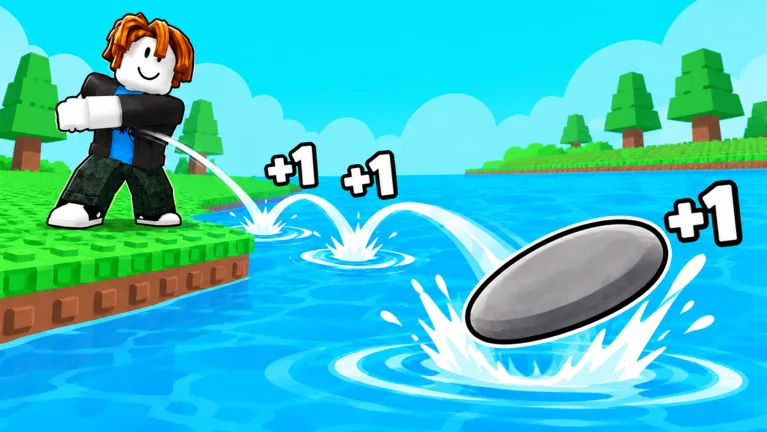
Note your Skill total, Level, stone, pets, and active timed chips. Make several throws while Friend Boost holds its current value. If it changes later, repeat with the same setup. Compare Skill, distance, and zone reached. Each bounce gives +1 Skill at the basic rate, but pads, pets, and timed effects can change the displayed gain. Keep those factors in view before crediting the friend percentage.
| HUD or game state | What to check |
|---|---|
| Friend Boost +0% | Whether the value changes after the relevant player joins your server. |
| Friend Boost +10% | What your actual throws and counters do at that moment. |
| Timed 2x Skill or Win chip | Whether it is active during the comparison. |
| Skill pad label | Whether you are on the same unlocked pad for both tests. |
| Pet or stone change | Whether your equipped setup changed at the same time. |
One player stood on an unlocked 10x Skill platform while their Friend Boost read +10%. You cannot separate the two effects from that moment alone. Comparing their gains with a new account on a 1x pad tells you little about Friend Boost by itself.
Use friends without assuming a fixed reward
Join the same server as a friend and watch whether your Friend Boost display changes. Confirm the game title and developer first; similarly named Roblox experiences can work differently. Read the HUD just after joining and again a little later. If it stays the same, check for an in-game instruction or eligibility notice. The public game description gives no activation rule, so one extra friend is not a guaranteed percentage.
Keep playing if the Friend Boost stays at zero. Throw stones for Skill, train and level for longer throws, reach farther zones for Wins, and compare stones or pets. Those steps do not depend on a friend bonus. Treat any extra percentage as help, not a condition for starting.
Distinguish Friend Boost from other offers
Shop can show Skill-zone offers and packs with boost icons. Timed 2x Skill and 2x Win chips have appeared on the HUD as well. Those displays are separate from the Friend Boost line. Read an offer’s live card before buying it for a supposed friend bonus. Check gifts and code rewards in their own menus, too.
For the next zone, watch your usual throw distance. Friend Boost is only one part of the setup. A stronger stone, an equipped pet, or another level can make a clearer difference. Change one thing at a time and note the active friend percentage alongside your result.
FAQ
Is Friend Boost in +1 Stone Skipping?
Yes. The HUD has displayed Friend Boost at both +0% and +10% in different sessions.
Does one friend always give +10%?
The game does not state that rule publicly. Read the percentage in your server and any current in-game explanation.
What does the bonus affect?
Check Skill and throw results before and after the value changes while keeping equipment and other boosts the same.
Why is my Friend Boost still +0%?
Confirm you and your friend share a server, then read any eligibility instructions in the current game.
Can Friend Boost replace training or pets?
No. You can progress through bounces, training, farther zones, stones, pets, and rebirth regardless of the friend percentage.